The Freelance Studio Budget.
Know your real monthly number, even when your income is anything but regular. Every income stream, expense and tax set-aside in one calm picture, and what you can reliably count on each month.
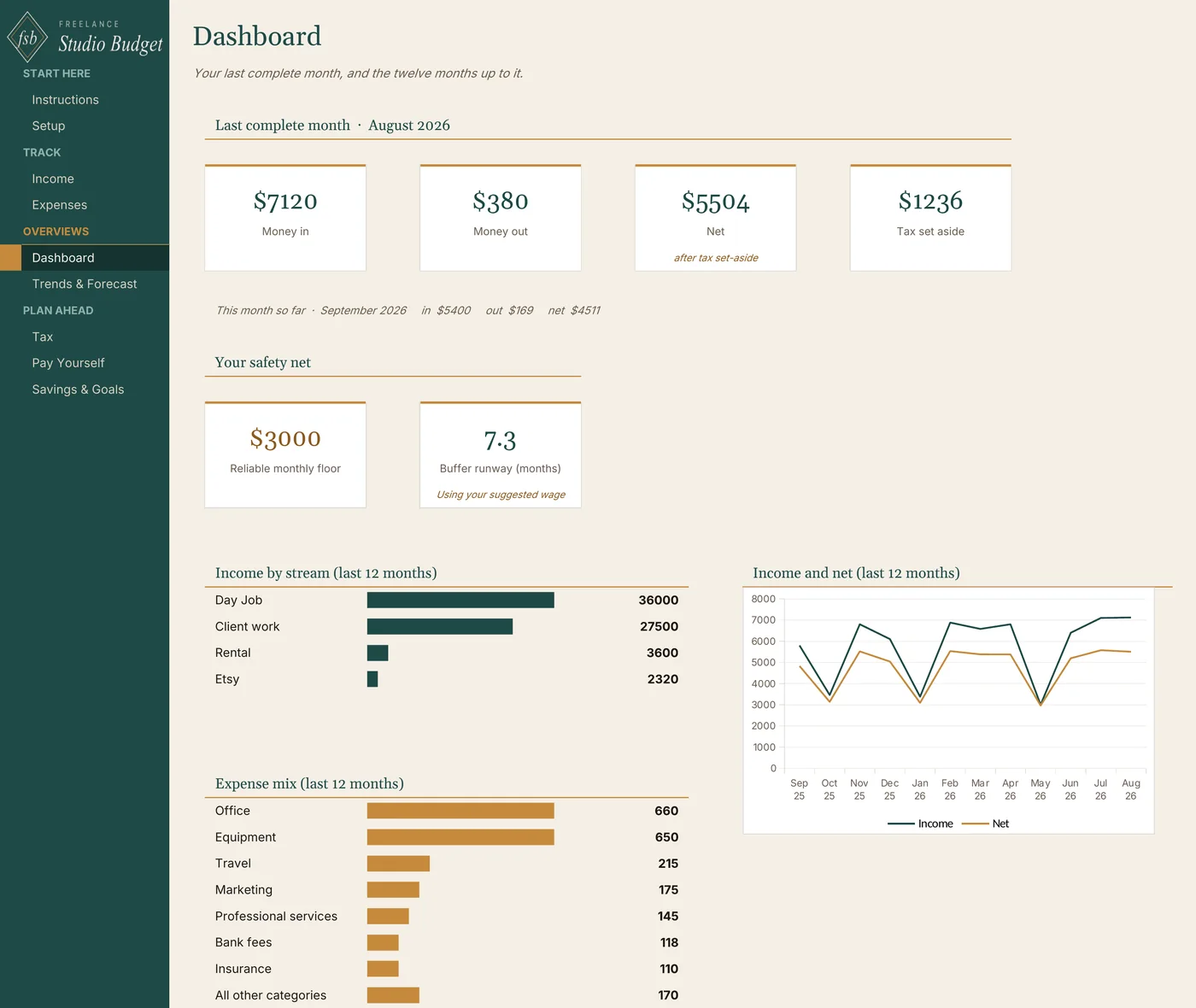
One workbook. Nine connected tabs.
Your last complete month: money in, money out, net after tax set-aside, and the tax set aside. It never reads low just because the month isn't over.
Every payment tagged by stream and tax status, so salary, client work, and side income live in one list without being lumped together.
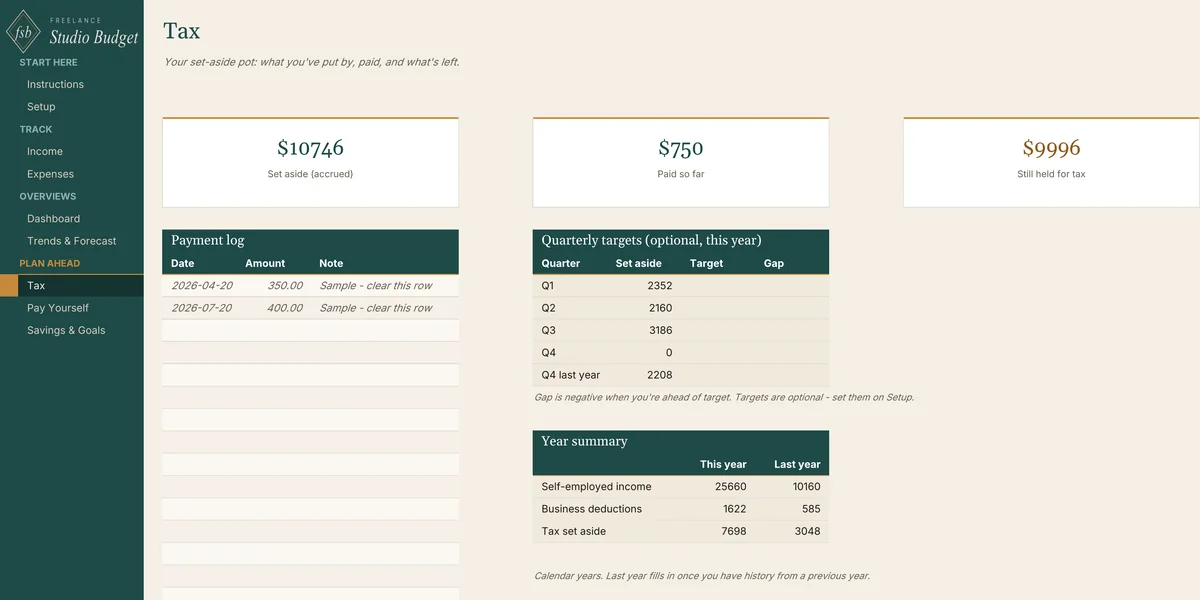
Your chosen percentage, applied only to self-employed income, never to money already taxed at source. The Tax tab tracks what is set aside, paid, and still held.
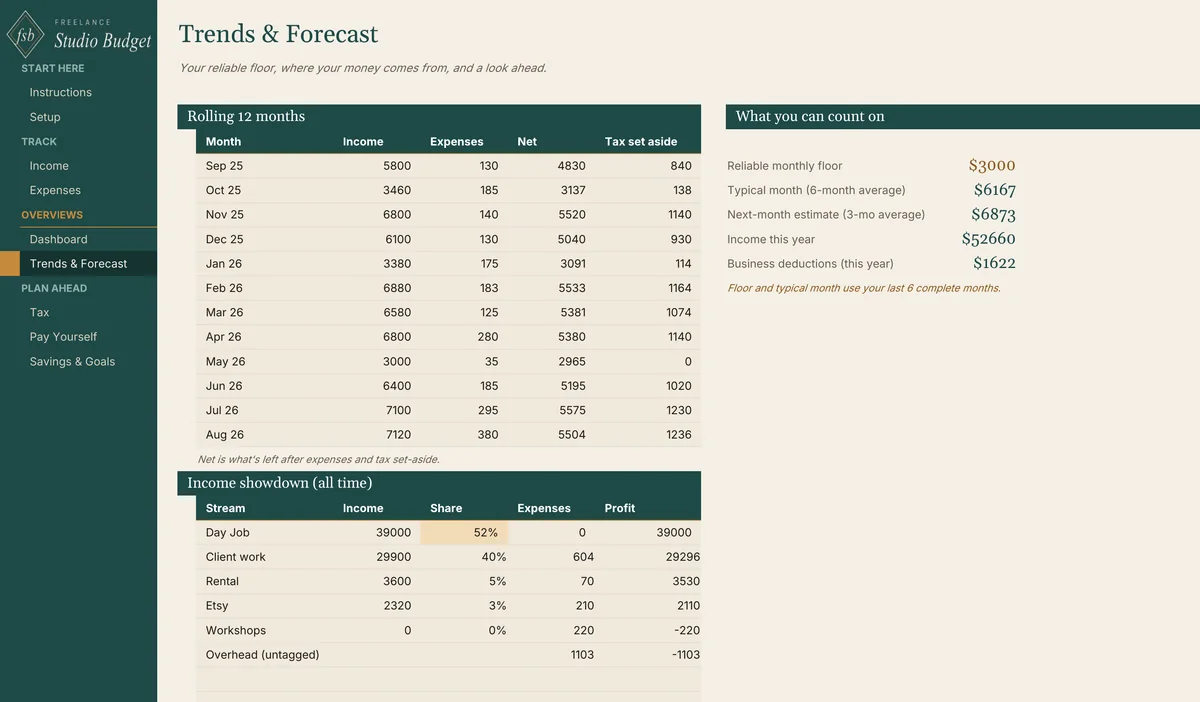
A rolling 12 months beside what you can count on: your reliable monthly floor, your typical month, and a next-month estimate.
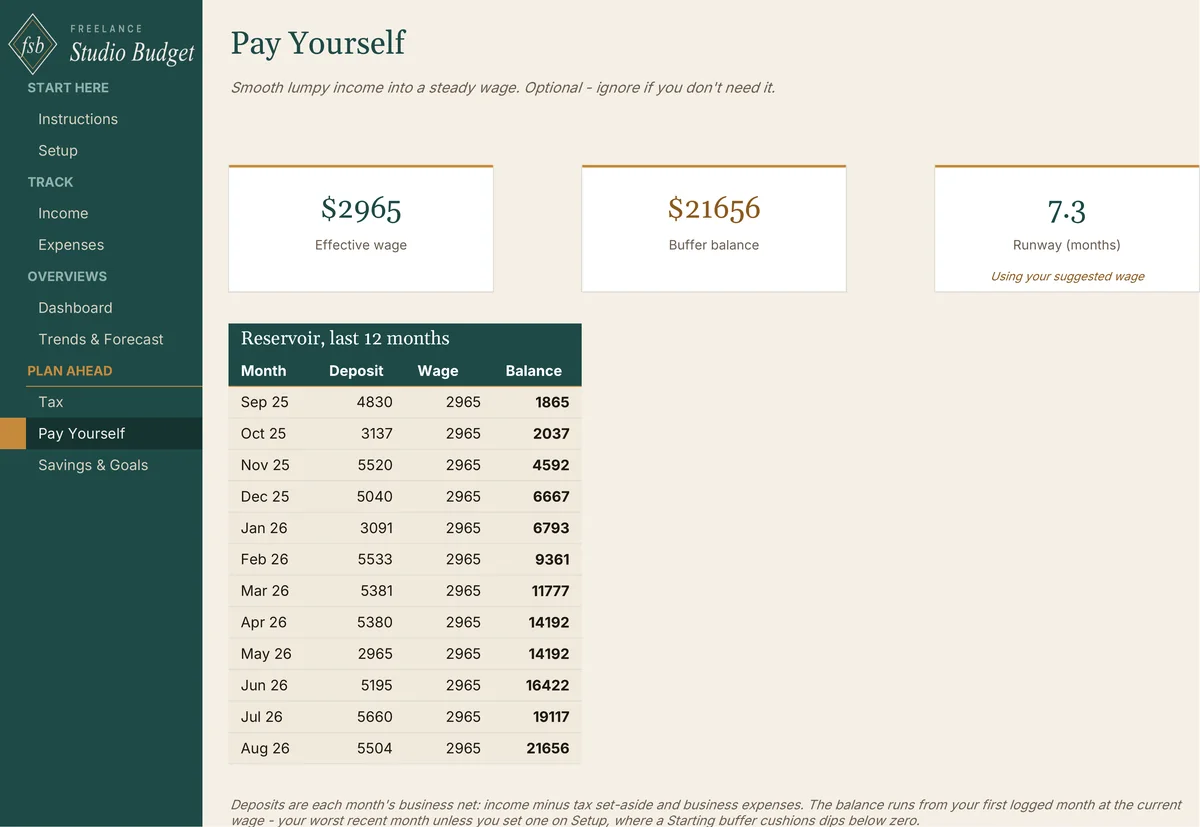
Optional. Each month's business net fills a reservoir, a steady wage comes out, and the runway shows how many months the balance can cover.
One row per cost, flagged Business or Personal, so business costs roll into your deductions without separate bookkeeping.
Sinking funds for an emergency fund, new equipment, or time off, with progress bars and months to go.
Any currency, your own tax percentage, and up to 20 income streams and 20 expense categories, all in your own names.
The tax set-aside is a savings estimate at the percentage you choose, not tax advice.
See it before you buy it.
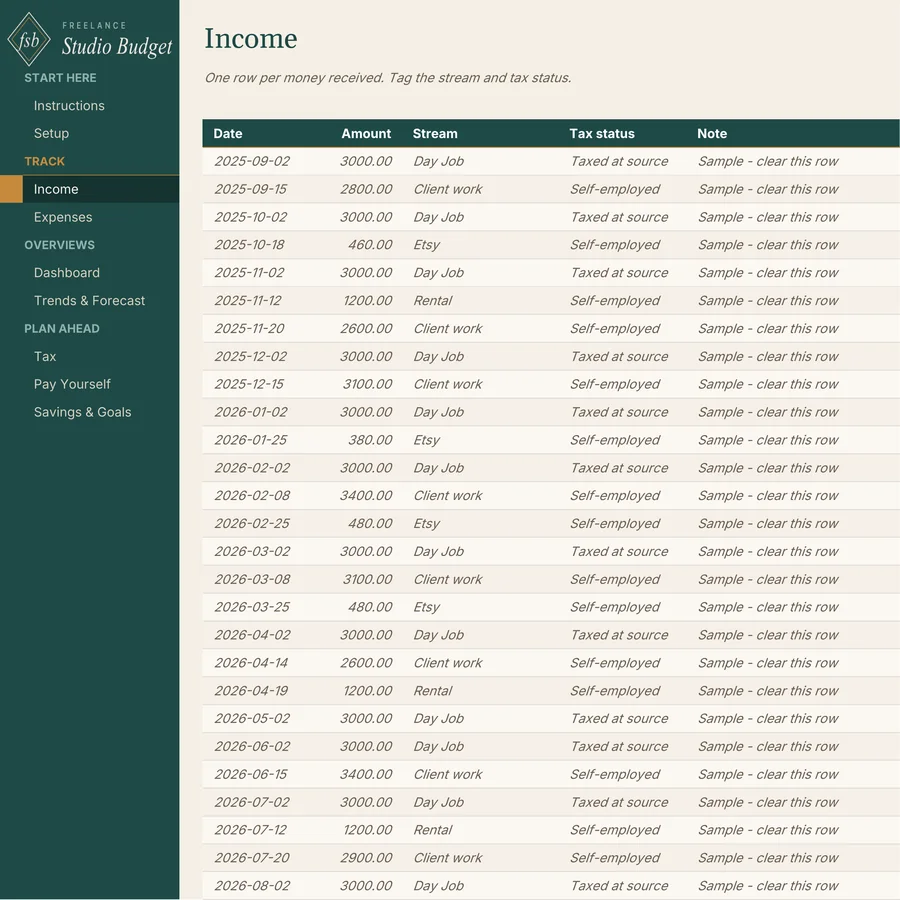
Built for money that arrives in lumps.
Freelancers, creative studios and consultants with good income that never lands on the same day twice, and multi-stream earners mixing a salary with client work, an Etsy shop or rental income.
Single-paycheck budget templates assume the same amount arrives on the same day every month. If you have tried one and found that it breaks the first month an invoice pays late, this is the tool built for that month.
Five steps. Then it runs for years.
- 01Clear the sample rows.
- 02Enter your currency and tax percentage on Setup.
- 03Add your last three to six months of history.
- 04Log money as it moves.
- 05Read your numbers.
Sample data is pre-filled so you can see how every tab connects first. Rows marked Sample - clear this row are yours to delete when you're ready. It's a rolling tool, not a one-year planner: nothing resets in January, and your floor and forecast keep reading your real history.
Frequently asked.
Does it work on a Mac?
Yes. It works in Excel on Mac and Windows, and in Google Sheets. If you prefer Sheets, your download includes a one-click link that saves your own copy to Google Drive.
My income is part salary, part freelance. Will it set tax aside on my salary?
No. Each income entry is tagged Self-employed or Taxed at source, and the set-aside applies only to self-employed income.
I'm not in the US. Does it still work?
Yes. You choose the currency symbol and the set-aside percentage, so it works with any currency and any tax system.
Does it calculate my taxes?
No. The tax set-aside is a savings estimate based on the percentage you choose. It is not tax advice. Check the right rate for you with an accountant or your tax authority.
What is the reliable monthly floor?
Your lowest income month among the last six complete months. It's the number you can count on even in a lean stretch. Pay Yourself starts from the same idea: its default wage is what your worst recent month could pay after tax set-aside and costs.
Do I need to be good at spreadsheets?
No. You type into the marked cells and the formulas do the rest. Calculated cells are protected so you can't overwrite them by accident, and the sample data shows how everything connects before you start.
Can I paste transactions from my bank or payment app?
Yes. Paste values into the empty rows at the bottom of the Income or Expenses log, then pick a stream or category for each row. The Read Me explains how.
Do I need the Freelance Studio Planner?
No. The Budget stands on its own. If you use the Planner, you can copy each paid invoice amount in as income.
Is this a subscription?
No. You buy the file once and it is yours. There is nothing to renew.
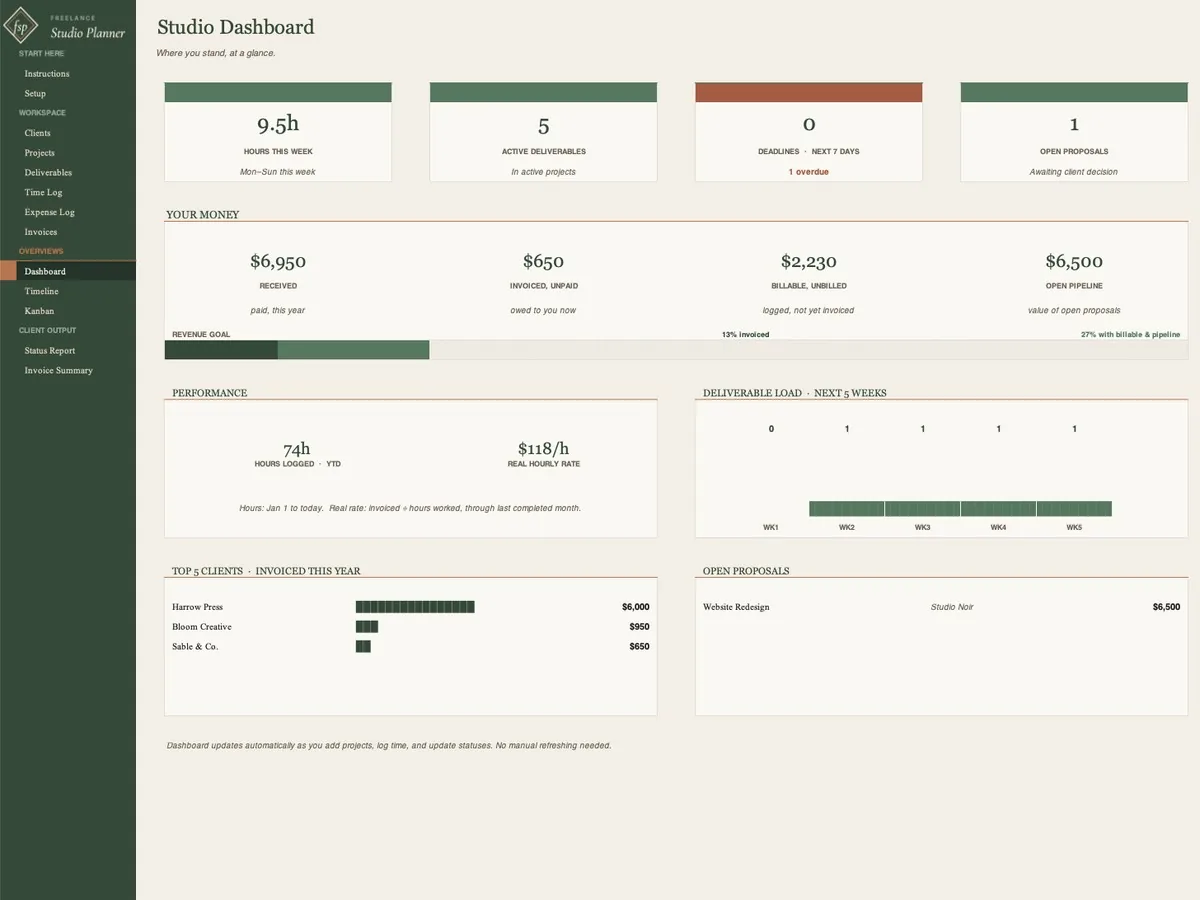
The Planner runs the work. The Budget runs the money.
The Freelance Studio Planner handles clients, projects, time and invoices. Copy each paid invoice into the Budget as income, and the two give you one connected studio system.
See the Planner →See your real monthly number the same day.
One .xlsx file, 9 tabs, with a Read Me and a one-click Google Sheets copy. Works in Microsoft Excel (Mac and Windows) and Google Sheets. Any currency, room for 1,000 income entries and 1,000 expenses. Instant download, lifetime access, no subscription.